How to Choose YouTube Filming Gear: A Checklist for Mics, Tripods, and Lenses
Search for YouTube gear and you'll find a long shopping list: microphones, tripods, lenses, lights, and more. But you don't need to buy everything at once. Start with what your videos actually need, and add one piece at a time.
1. Microphone: Check How It Connects Before You Check the Brand
Viewers will forgive slightly soft video, but if they can't hear you, they'll click away.
Confirm where it plugs in. Will it connect to your phone or to a camera? Check whether you need an adapter, and whether the plug still fits with your phone case on.
Decide how many people are talking. One speaker needs one mic. A two-person conversation or interview needs two.
Choose the type of sound you want to capture:
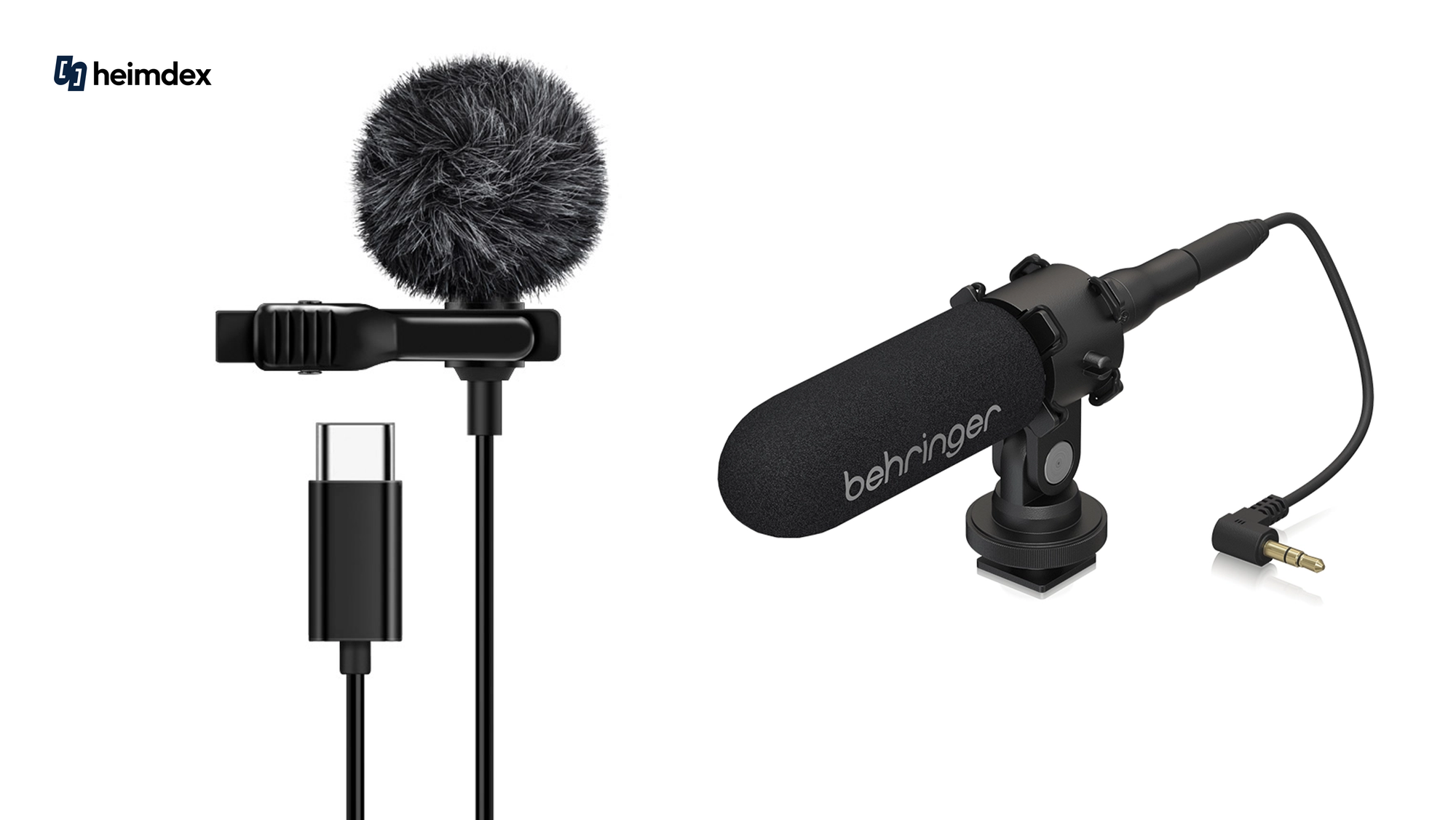
- To capture your voice clearly: a wireless lavalier mic (a small clip-on mic that attaches to your collar)
- To capture cooking sounds or ambient audio: a shotgun mic that mounts on top of your camera
2. Tripod: Match It to Your Gear's Weight, Not Just Its Size
A tripod does more than steady your shot. It also protects your camera from tipping over.
- Standard tripod: Best for standing shots, wide shots of a whole room, or outdoor filming.
- Mini tripod or grip: Best for filming on a desk, or for handheld selfie shots while you're on the move.
💡 Buying tip: Check the tripod's maximum load capacity. It needs to support the combined weight of your camera, lens, microphone, and phone mount.
3. Lens: Field of View and Weight Matter More Than Image Quality
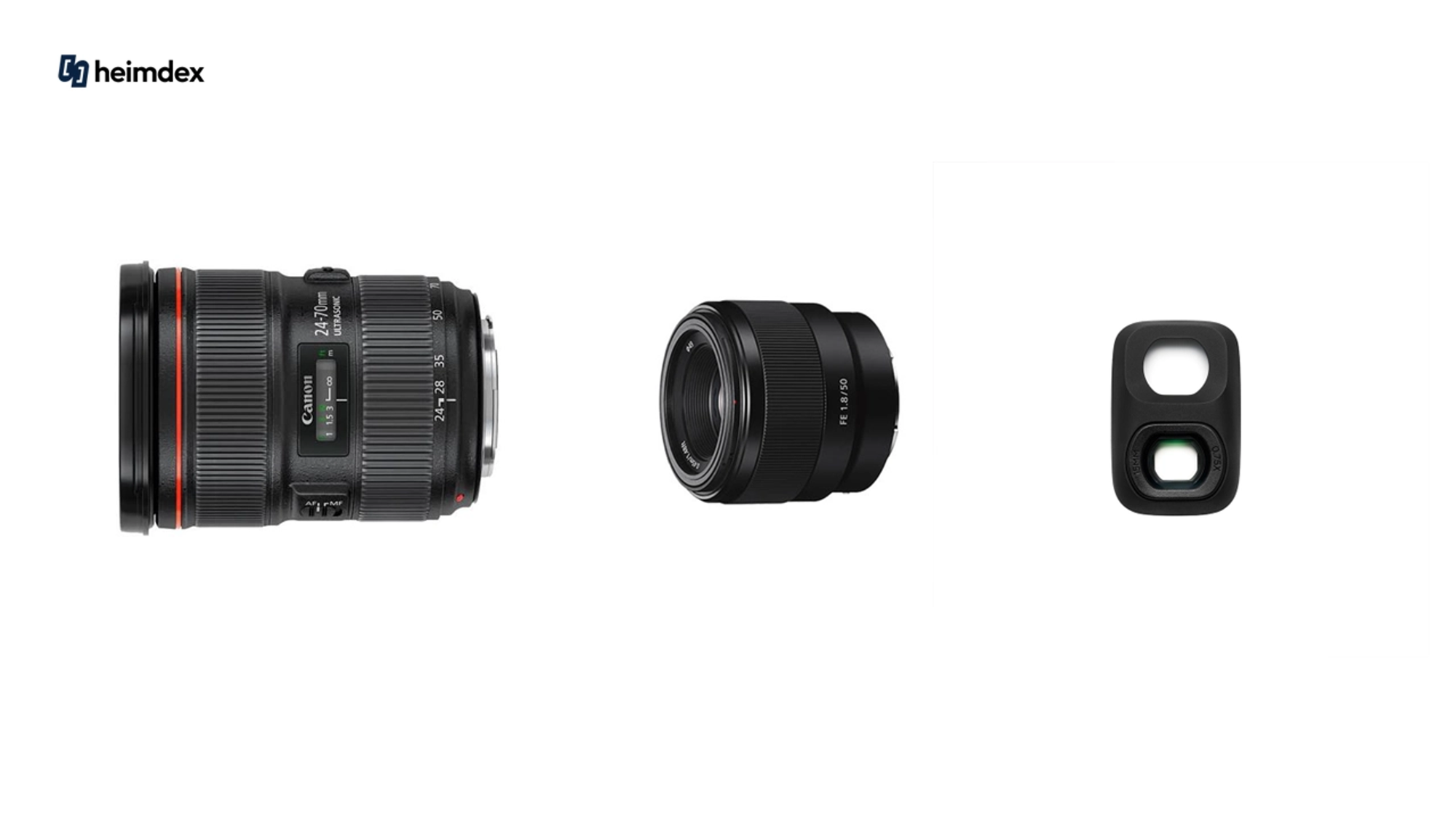
- Selfie vlogs with your face and background in frame: Choose a wide-angle lens, so more of your surroundings fit in at arm's length.
- Products, food, and small props: Choose a standard prime lens (a fixed focal length lens) with a short minimum focusing distance, so it stays sharp even when the subject is very close.
- Travel content: More lenses just make for a heavier bag. Start with one lightweight standard zoom lens that can handle scenery, food, and people.
4. Batteries and Memory Cards: The Essentials That Keep You Filming
It's surprisingly common to lose a shoot because a battery dies or the card runs out of space. Run through this checklist before you go.
Checklist:
- Are your camera and microphone batteries charged?
- Do you have a spare battery or a power bank?
- Is your memory card fast enough to record high-quality video without dropping frames?
💡 Minimum Gear at a Glance, by Type of Video
| Video type | Recommended minimum setup |
|---|---|
| Talking-head / informational videos at your desk | Phone (or camera) + desktop tripod + lavalier mic + bright lighting |
| Travel vlog | Lightweight camera (or phone) + mini tripod that doubles as a handle + compact wireless mic + spare battery |
| Product unboxing / cooking | A lens that focuses well up close + an overhead (top-down) mount + bright lighting |
| Two-person interview | Tripod + wireless mic with two transmitters + earphones for monitoring audio |
🎬 Filmed a Lot of Footage and Don't Know Where to Start Editing?
Even with the right gear, footage scattered across your phone and camera can wear you out before you've begun editing.
That's where Heimlog, an AI vlog editing service, can help. Upload clips from all your devices, and the AI picks out the best usable moments and puts together a first-draft edit. Then just tweak the captions and text. It takes much of the pressure off starting from a blank screen.
👉 Sign up now and get free trial credits, no credit card required. Don't leave your travel footage sitting in a folder. Turn it into a vlog today.