Vlog Background Music: 5 Ways to Add It Naturally (Without Looking Like a Beginner)
Ever added background music to a vlog and felt like something was off, or like it was drowning out your voice?
The song you picked may not be the problem. Music can sound disconnected when its volume doesn't match your voice, or when its timing doesn't line up with the scene. The same thing happens when your voice and the music sit in a similar frequency range and compete, or when the energy of the track doesn't match the mood on screen.
Good vlog music isn't about making the music louder. It's about supporting the mood of your video without getting in the way of speech and on-location sound.
This guide won't recommend specific tracks. Instead, it covers how to place and adjust the music you've already chosen so it blends in.
Set your BGM volume so dialogue never gets buried
The most common mistake in music editing is leaving the volume too high because you like the song. If viewers notice the music before they notice what you're saying, the BGM is probably too loud.
A common starting range is around -15 to -25 dB, but this isn't an absolute rule for every video. The right level depends on how loud your track is, which instruments it uses, the tone of your voice, and the ambient sound in your footage.
A soft piano piece can feel quiet even at the same number, while a track with heavy drums and bass can feel much louder. So don't rely on the number alone. Listen to your dialogue and lower the music bit by bit until it no longer covers your voice.
Also check these three things:
- Does the music drop low enough when someone starts talking?
- In scenes with no speech, is the music left too quiet?
- Is the dialogue still clear on your phone speaker, not just in earbuds?
Match the music's highlights to your video's key moments
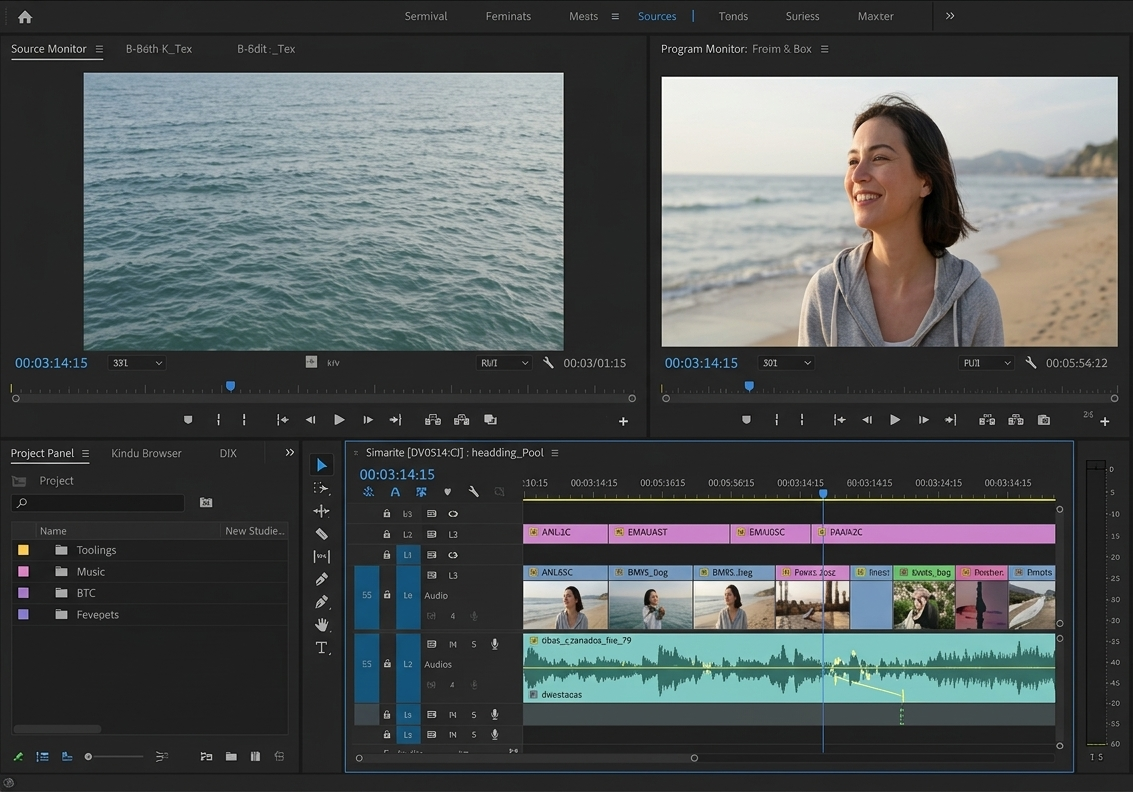
Rather than laying the same track flat from start to finish, you'll get a more natural result by fitting the music's structure to the flow of your scenes.
Start by listening for these points in the track:
- The moment the beat kicks in
- Where instruments are added and the music builds
- The strongest point, such as a chorus or a drop
- Where the mood shifts
- Where the music pauses or ends
Then place the music's highlight on the scene you most want to emphasize.
In a travel vlog, that could be the moment you arrive at your destination. In a cooking video, the reveal of the finished dish. In an everyday vlog, you might pick the funniest moment or a twist.
Instead of laying down the music first and forcing the footage to fit, decide which scene you want to emphasize first, then move the music's highlight to that point.
Don't be afraid to stop the music at key moments
Connecting music and video smoothly is as much about where you stop the music as where you start it.
For twists, laughs, or surprises, where you want the viewer's attention in one place, simply cutting the music for a moment can be very effective. When music that has been playing suddenly stops, viewers naturally focus on the screen and the dialogue.
But if you cut at a random point, it can sound like the music was cut off by mistake. Try cutting at one of these points:
- The end of a measure
- Where an instrument's last note is still ringing
- Where a drum hit or sound effect lands hard
- The frame where the scene changes
- Right before an important line begins
If the cut leaves an audible trace, a short fade-out can clean up the ending. On the other hand, to punch up a funny moment or a twist, cutting straight off without a fade is often more effective.
Use sound effects only on the moments you want to emphasize
If music alone doesn't give a scene enough punch, sound effects can add impact. Timing them to screen transitions, text appearing, an object or dish being revealed, or the end of an action makes the video feel more dimensional.
That said, you don't need to add a sound effect everywhere you can. Too many effects tire viewers out and erase the difference between important moments and ordinary ones.
It's better to use effects where emphasis is truly needed rather than everywhere they could fit. If removing an effect doesn't change what a scene means, feel free to cut it.
Design the emotional arc of your video with music
BGM isn't sound to fill empty space. It's an editing tool that moves the viewer's emotions. Quiet scenes make the swell of the music stand out, and stretches with music make a sudden silence hit harder.
When choosing and placing music, ask yourself:
- What do I want the viewer to feel in this scene?
- Does this moment need a relaxed mood or tension?
- Which scene do I most want people to remember?
- Is the music being heard before the dialogue?
- Would this scene actually work better without music?
Editing with these questions in mind keeps the music from feeling like it's floating on top of the picture. The key isn't filling every scene with music. It's creating contrast between quiet stretches and strong ones.
Check the copyright on your vlog BGM, too
Even after editing is done, you can't feel safe until you've checked the terms of use for the music. Just because a track is free to download doesn't mean you can use it freely in every video.
Before using a track, check the following:
- Is commercial use allowed?
- Can it be used in monetized YouTube videos?
- Is credit or attribution to the creator required?
- Are there limits on platforms or how long you can use it?
- Are you allowed to modify or trim the track?
Music often called "copyright-free" is usually music the rights holder has licensed for use under specific conditions. So don't stop at whether it's free. Make sure the license and permitted uses are clearly stated.
Even with the YouTube Audio Library, attribution requirements can differ from track to track, so check each track's details.
Vlog BGM editing checklist
Before you export, check the video on your phone and speakers, not just earbuds.
[ ] Can you hear the dialogue more clearly than the BGM?
[ ] Is there any point where the BGM suddenly gets louder?
[ ] Does the music's highlight land on an important scene?
[ ] Do the music's start and end points feel natural?
[ ] Have you avoided overusing music in every scene?
[ ] Are sound effects only where they're really needed?
[ ] Is there any scene that would work better with the music reduced or removed?
[ ] Does the video have contrast between calm and intense moments?
[ ] Have you checked the license and monetization terms for your BGM?
Want a safer, easier way to add BGM?
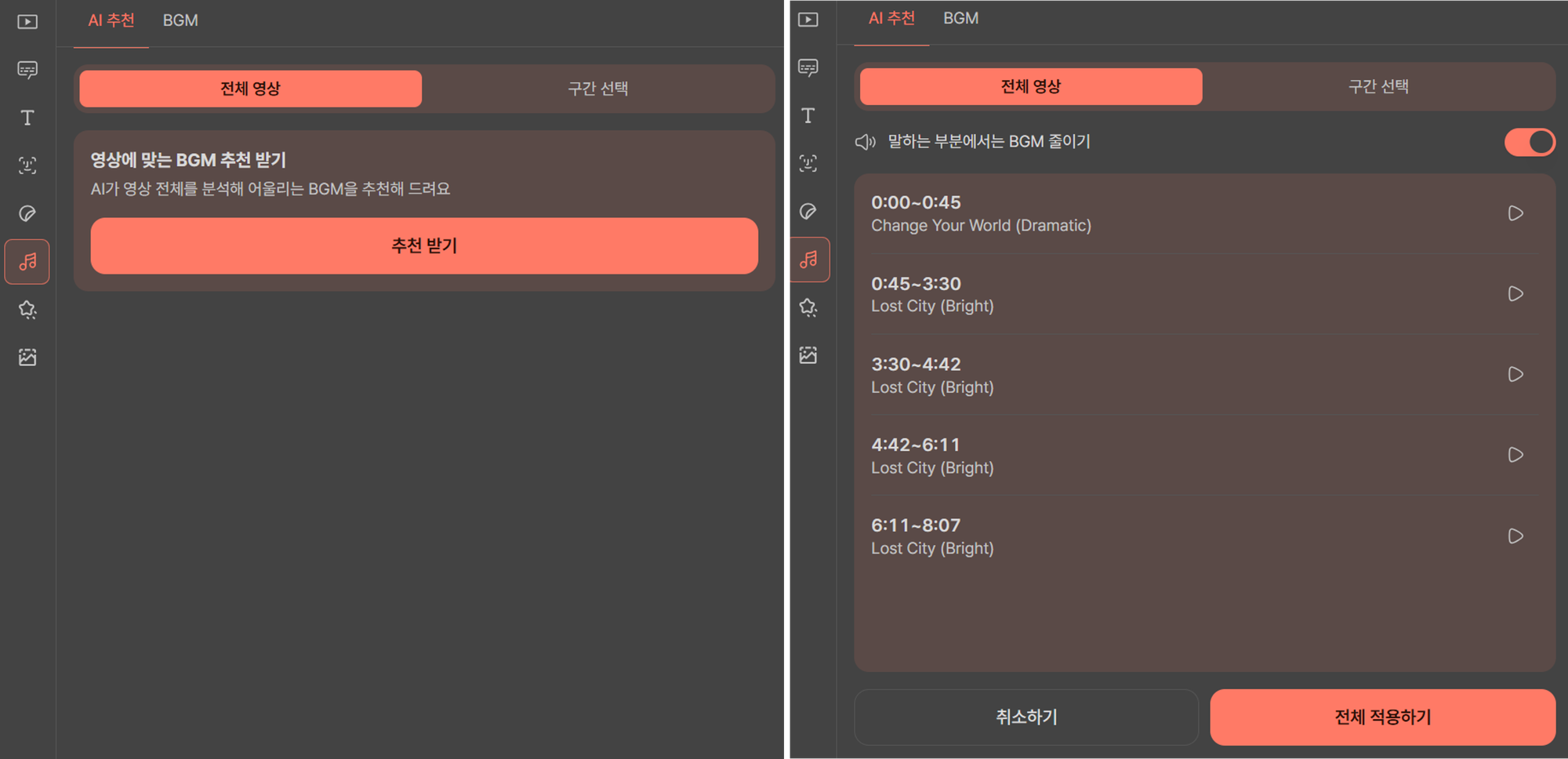
Try Heimlog, our automated vlog editing service. You can apply copyright-safe BGM right away, which greatly cuts down the effort of finding and editing music separately.
It also automatically matches BGM to the mood of your video. You can lay music across the whole video or add matched BGM only to the sections you choose.
In particular, it can automatically lower the BGM volume during speaking sections, which makes it a good fit for people just starting on YouTube.
Add sound effects only where they count, double-check your music licensing, and you can boost viewer engagement without copyright trouble.
Sign up now and you'll get credits to make 2 vlogs for free, so give it a try.