


Video Production with GPT-6 Astra, Part 2: From Connecting Higgsfield to Making an Ad
If you had to name the hottest AI right now, it would be GPT-6 Astra. Scroll through social media and you'll find a flood of ads and animations made from just a few sentences of text. Watching them, you may think, "Maybe I should try this too," and then hesitate the moment you consider actually starting.
The most time-consuming part of AI video isn't the generation itself. It's deciding which scenes you need, preparing images and copy for each one, and stitching the results together. Knowing that this work hides behind every polished clip gives you two things at once: confidence that you can do it, and a realistic sense that some preparation is still required.
Connecting GPT-6 Astra to Higgsfield, an AI platform for generating images and video, takes a good deal of that burden off you. You tell Astra the purpose of the video, the mood, and any must-have conditions. Astra organizes the production flow, and Higgsfield's image and video models create the output. Let's walk through how it works.
What do Astra and Higgsfield each do?
Splitting the roles makes the workflow easier to understand.
- Astra is the planner. It interprets your request and organizes the video structure, scene order, copy, and narration.
- Higgsfield is the producer. It takes that plan and generates the actual images and video.
The key point is that you don't have to write a separate, detailed prompt for every scene. One goal, stated in a conversation, can drive several steps in sequence.
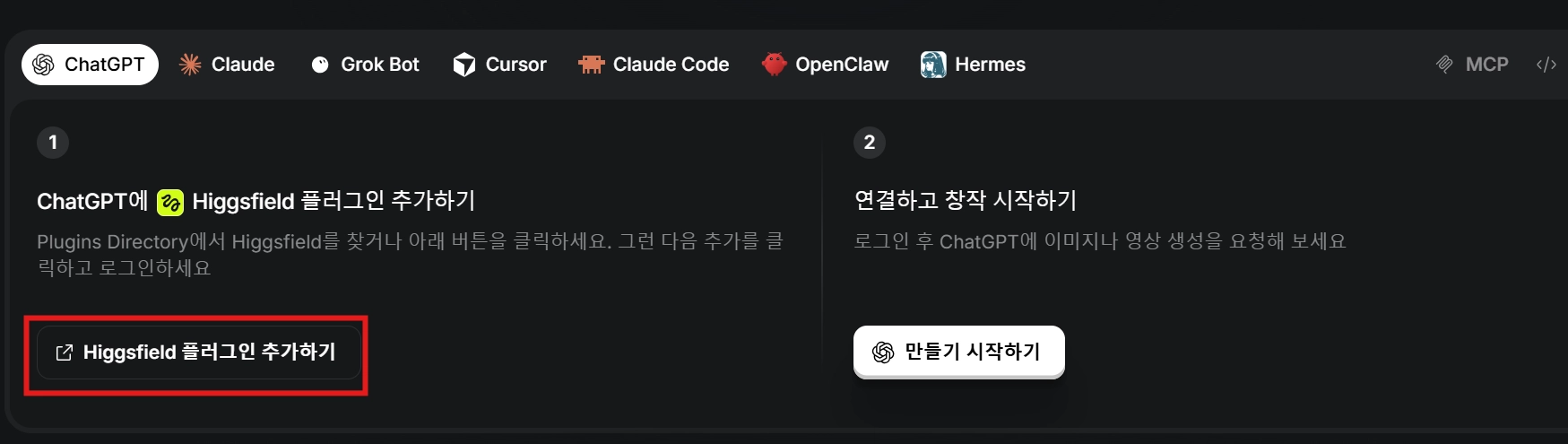
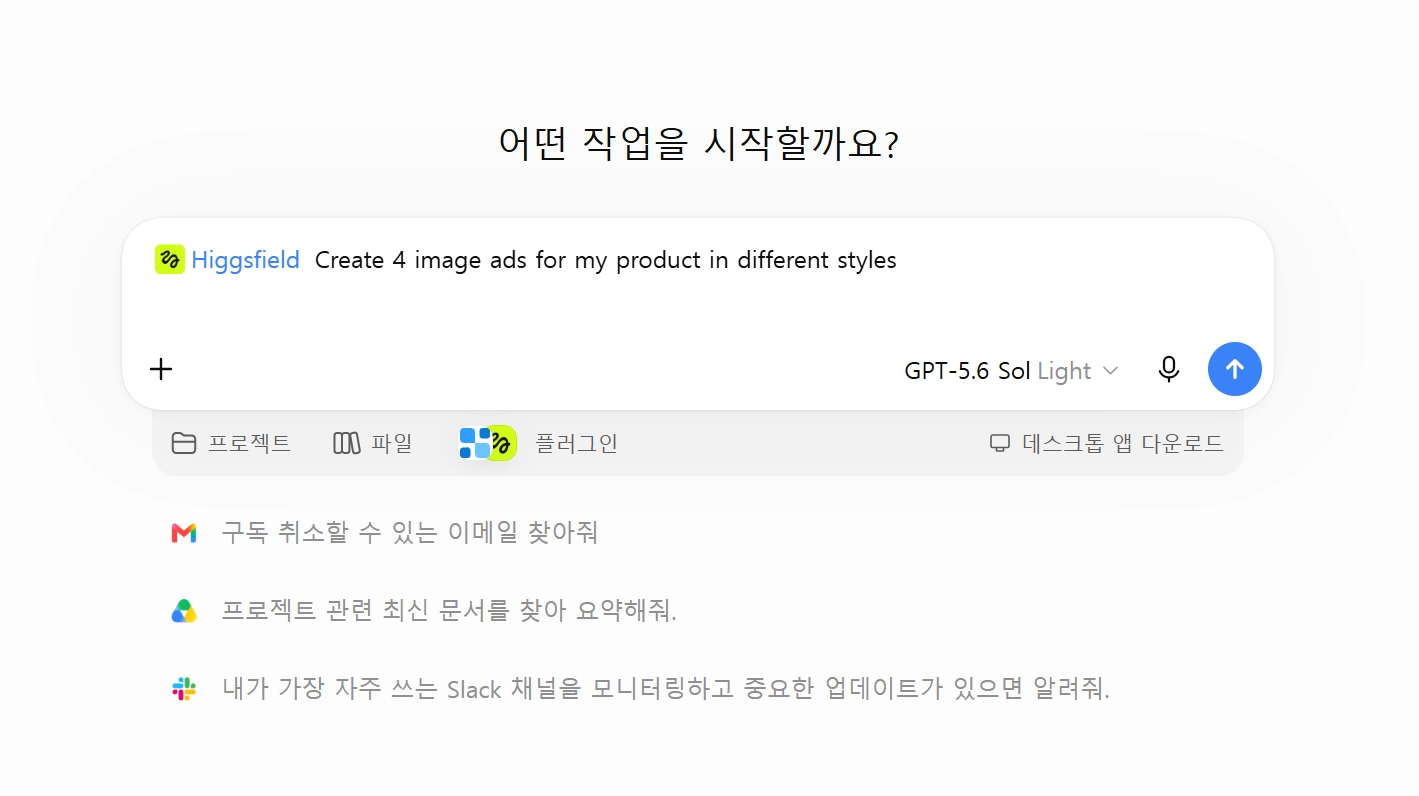
To use it, add the ChatGPT plugin from Higgsfield's official website, then connect the Higgsfield plugin inside ChatGPT.
Five things to decide before you write a long prompt
A short request will still produce a result. That doesn't mean you can throw in a request with no information. Looking at the strongest results, they all had these five things settled in advance:
- Purpose: Is it a product ad, a brand film, or a trailer?
- Length and aspect ratio: 20 or 30 seconds, 16:9, and so on.
- Core subject: A product, a character, the subject of a nature documentary, etc.
- Impression: A polished travel mood, a tense sci-fi feel, a calm documentary tone, etc.
- Must-have elements: Product name, key strengths, captions, narration language, background music, etc.
The point isn't to write longer sentences. It's to give clear criteria. If you only say "Make an ad for a great bag," the AI has to guess everything else. If you also give the product name, the lightweight feel, an autumn-trip setting, and the feeling you want ("make people want to leave on a trip after watching"), the AI has criteria for choosing each scene.
Prepare reference images by role
What matters is not how many reference images you have, but what role each one plays.
- Product ad: product photos from several angles
- Animation: one character image plus one background image
- Fashion film: a model photo plus a mood board
A model photo anchors the look of the person on screen, while a mood board sets color, materials, and overall atmosphere. It helps to sort your materials the same way:
- Photos that show the product accurately
- Photos that define how a person or character looks
- Images that set the location or background
- A mood board that conveys color and atmosphere
Don't try to cram everything into one image. Give each image a single purpose, and your prompt becomes much shorter and clearer.
For ads: provide product information plus an emotional goal
Take a bag ad as an example. Along with the product photo, give the product name, features, and concept. Then add an emotional goal, such as: "I want viewers to feel that carrying this bag to work would make them look polished and professional."
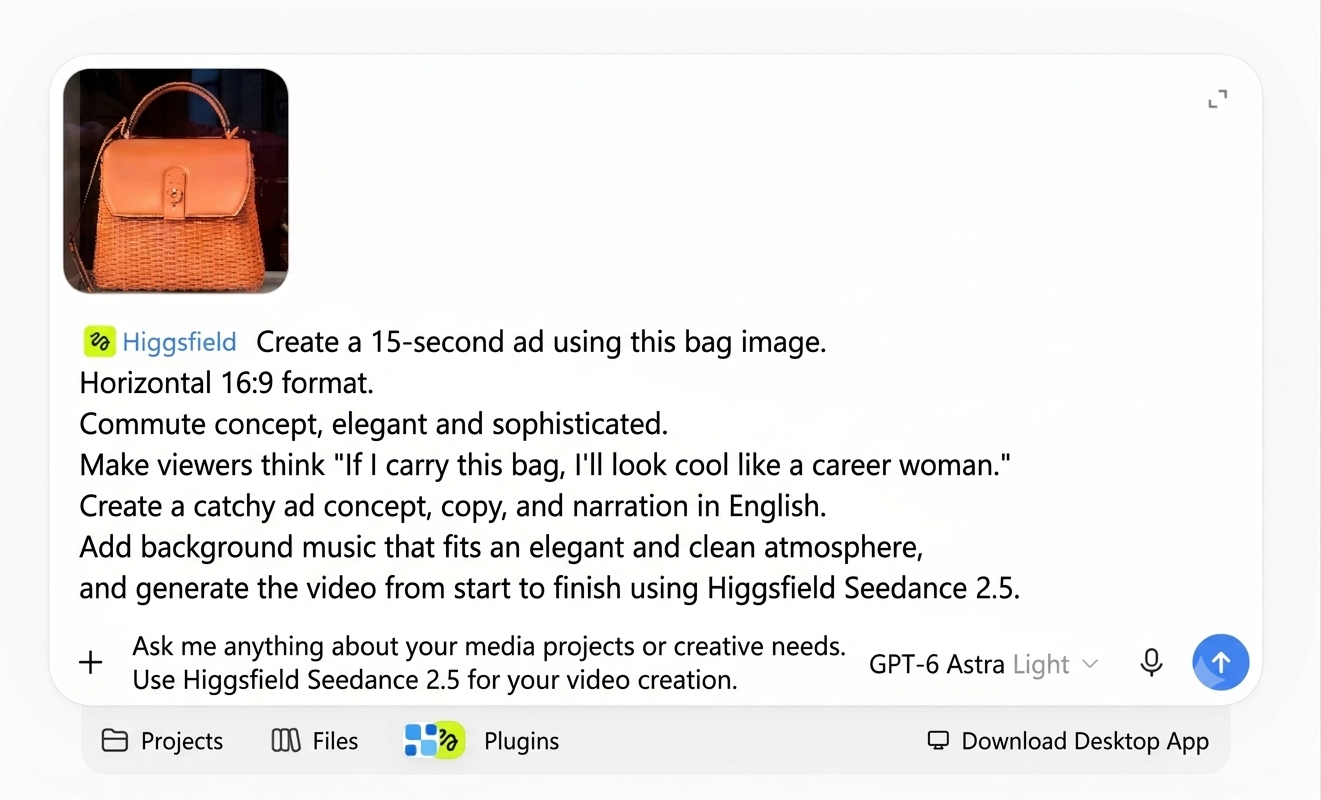
This works better than a plain list of features. The features tell the AI what to say, and the emotional goal hints at which settings, facial expressions, and music to choose. You can structure the prompt like this:
Use [product image] to make a [length] [video format].
The aspect ratio is [ratio], and the product name is [name].
The key strengths to highlight are [main benefits].
Set the overall mood as [concept],
and make viewers think of [feeling or action] after watching.
Also include [caption, narration, and background music conditions].
This template isn't a finished answer. It's a starting point for getting a first draft quickly. If your brand has banned expressions, or a logo, colors, or phrases that must be preserved, add them as separate conditions.
What to check in your first result
When you generate video, you may run into garbled Korean text or a story that doesn't hold together within 30 seconds. At minimum, check these four things yourself before publishing.
- Consistency of product and people. Check that the product name and logo don't change from scene to scene, and that a person's face, build, and clothing don't suddenly shift. Don't assume that adding a reference image keeps every frame accurate.
- Captions and on-screen text. Errors are more likely in Korean than in English. Don't just check spelling. Go frame by frame to see whether characters are blurred or turned into strange shapes. For important phrases, consider adding them as separate captions in the editing stage instead of having them generated inside the video.
- Story continuity. Even when each scene looks great, cause and effect can break between them. Check that a character's actions flow naturally, that the final scene doesn't end abruptly, and, for an ad, that the product's strengths carry through to the ending.
- Facts and rights. Don't accept AI-generated narration as fact. It needs separate fact-checking before release. Also review faces that resemble real people, trademarks, music, and the permitted usage of any images.
A tip to save money: set the direction at low quality first
Don't aim for a high-quality final cut from the start. Test several times at low quality, then move to final production once the direction is set. Characters, camera movement, and scene composition can change slightly with every generation, which is why this order makes sense.
A practical workflow looks like this:
- Create a first draft with just the purpose and must-have conditions.
- Separate the scenes you like from the scenes that need changes.
- Add the parts that wobbled (people, product, mood) to your prompt.
- Regenerate at low quality and check the story flow.
- Once the direction is locked, generate at final quality.
- Have a person review captions, logos, facts, and rights issues.
In the end, the human job is judgment, not generation
Connecting GPT-6 Astra and Higgsfield lets you carry copywriting, scene planning, and video generation through a single conversation. The biggest advantage is that even without much video production experience, you can see a first draft far faster.
That doesn't mean there's nothing left for people to do. Deciding what message to convey, choosing reference materials, and catching errors and rights issues are still up to you. The more of the production process AI takes on, the more specific your own criteria need to be.
If you're trying this for the first time, skip the big project and start with a 20 to 30 second test. Prepare materials with clear standards, like a product photo or a character image, write down only the video's purpose, mood, and must-follow conditions, and get a first result. After that, fill in conditions one at a time as you review the output.
Before you make a new video, though, there's a question worth asking: "Do we actually need a new video?"
If you're an organization that has been shooting footage for a long time, such as a broadcaster, a production studio, or a multi-channel network (MCN, a company that manages and monetizes online creators), tens or hundreds of thousands of hours of raw footage are probably sitting on a server somewhere. Mixed in are scenes good enough to use right now. The problem is that there's no way to find them. Only a handful of people know which file holds which scene, and answering a question like "Where was that interview?" can mean hours of digging through files. In the end, reshooting or generating something new with AI starts to feel faster.
Heimdex addresses exactly this. It's an on-premises tool that lets you search video with natural language, as if asking "find me this scene," without sending your originals outside. Your footage stays on your own servers, and you can pull out just the segments you need and rebuild them directly into short-form clips.
If you've ever felt that the video assets you've stockpiled are going to waste, learn more at Heimdex.
