


Heimdex Launches Beta for AI Vlog Editing Service 'Heimlog'

Anyone who's traveled somewhere and thought "I should make a vlog out of this" knows the feeling: two or three days of filming, 40-plus clips, and the excited plan to edit it all once you're home.
Except that was three months ago. The footage is still buried in your phone's camera roll, and every time you scroll past it, it feels less like a project and more like a chore you're avoiding.
Sitting down to actually edit is where the momentum dies. Without a script or a clear concept, you're staring at 40 unsorted files with no idea where to start. Turning raw footage into a finished vlog is a completely different skill from shooting it in the first place — and for beginners, one look at a professional editing timeline is often enough to close the laptop. So the footage stays buried, and the vlog never gets made.
If that sounds familiar, you're not alone — it's a pattern nearly every creator runs into at some point.
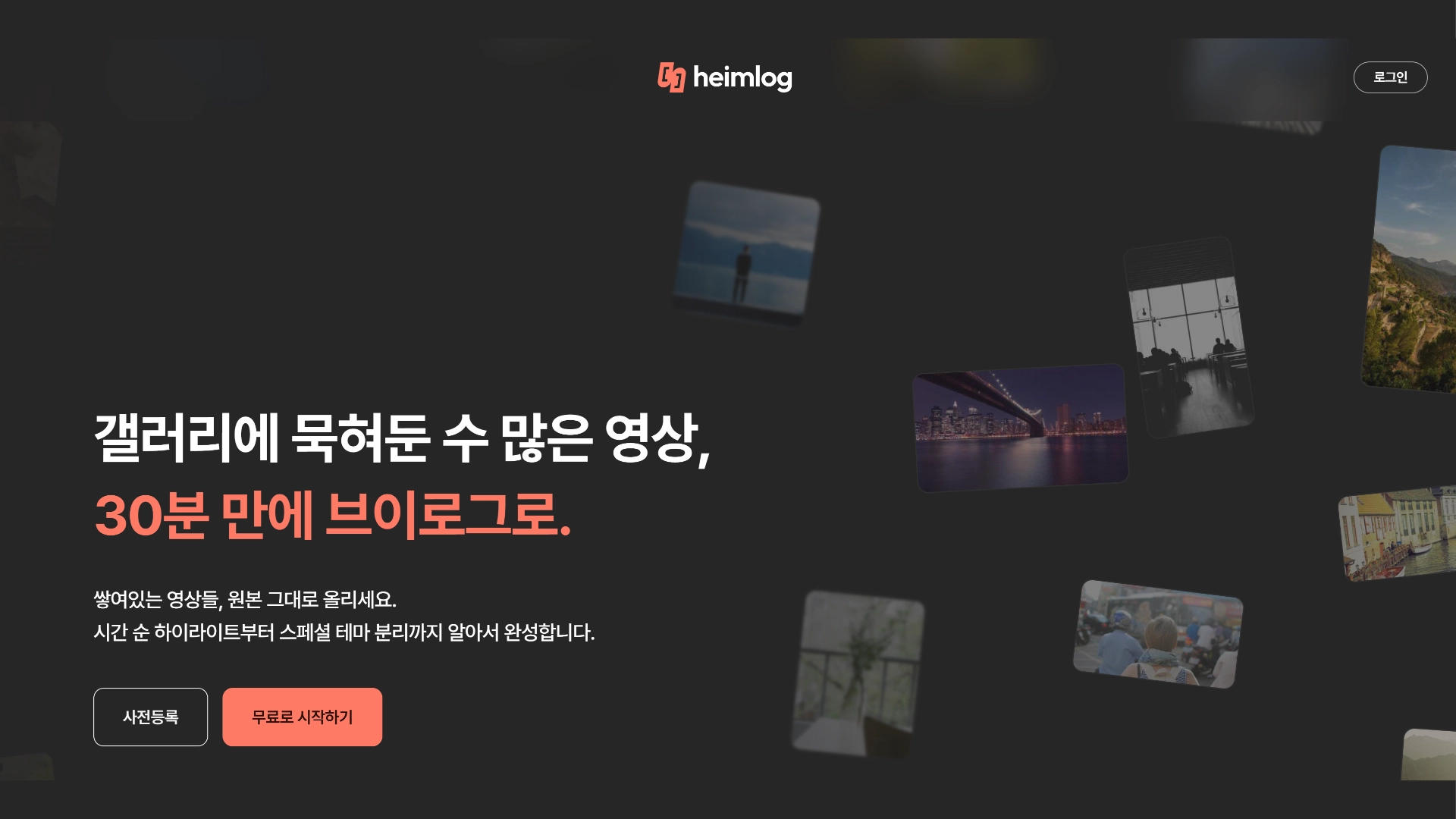
💡 Heimdex Vlog AI, "Heimlog," is here to fix that.
The tedious part — sifting through hours of raw clips to find the usable moments — now takes about 30 minutes. Creators keep full editing control over the final cut, but the rough-cut selection that used to take three-plus hours by hand is now handled by AI.
⚙️ How it works: 3 simple steps
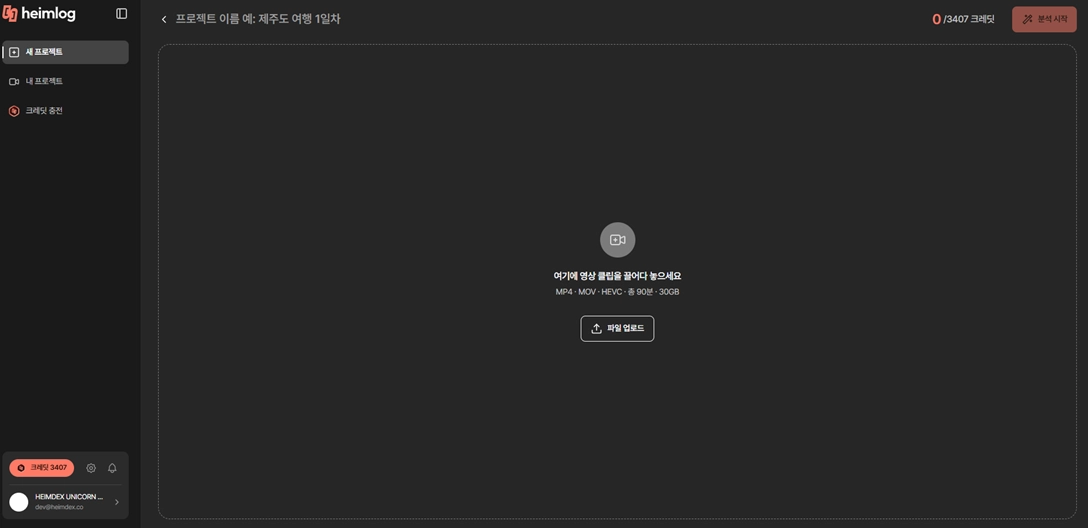
Step 1: Upload your footage
Heimlog reads the shooting metadata and automatically sorts your files in chronological order. For clips without metadata, you can simply drag them into the right day yourself.
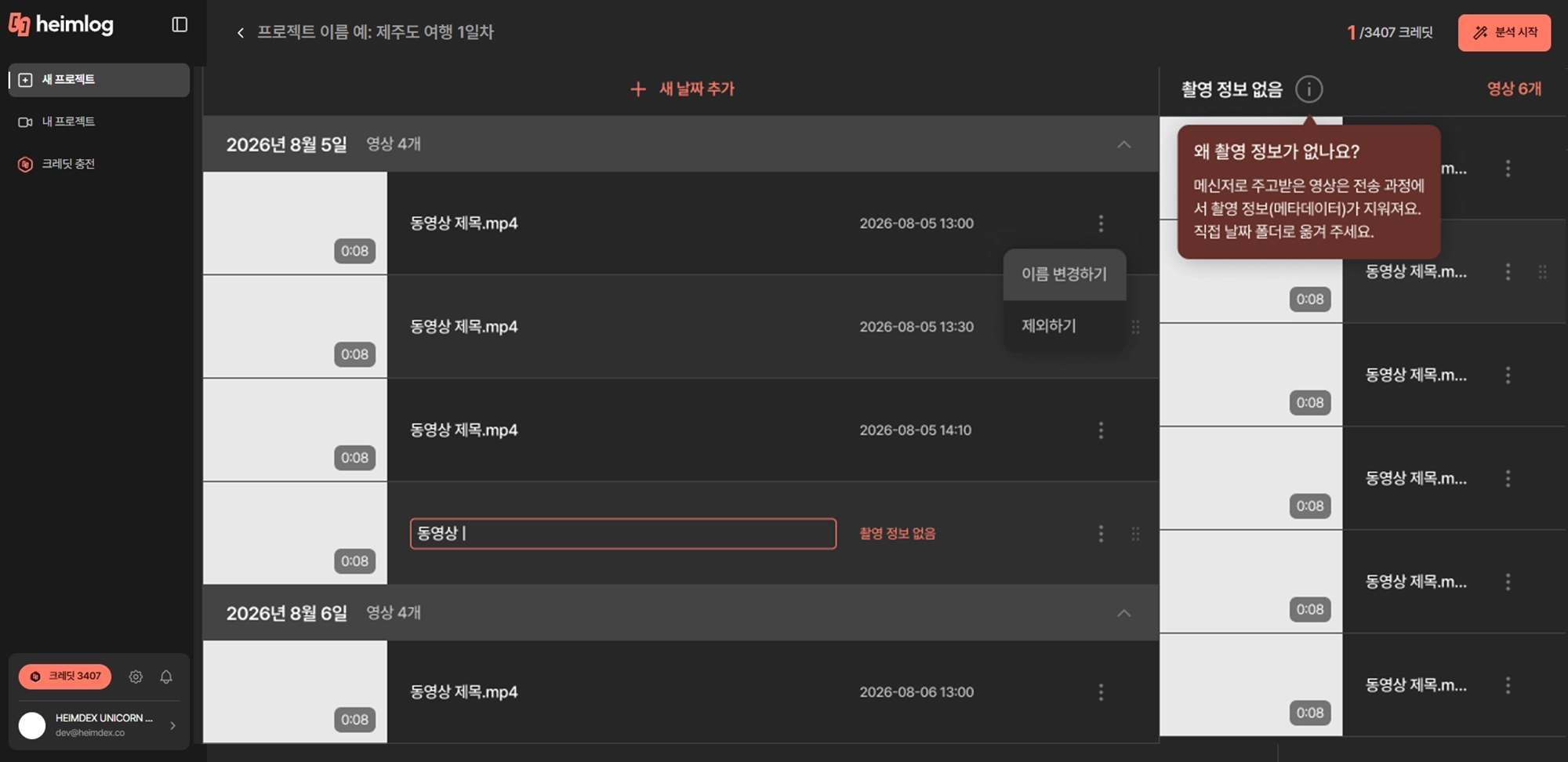
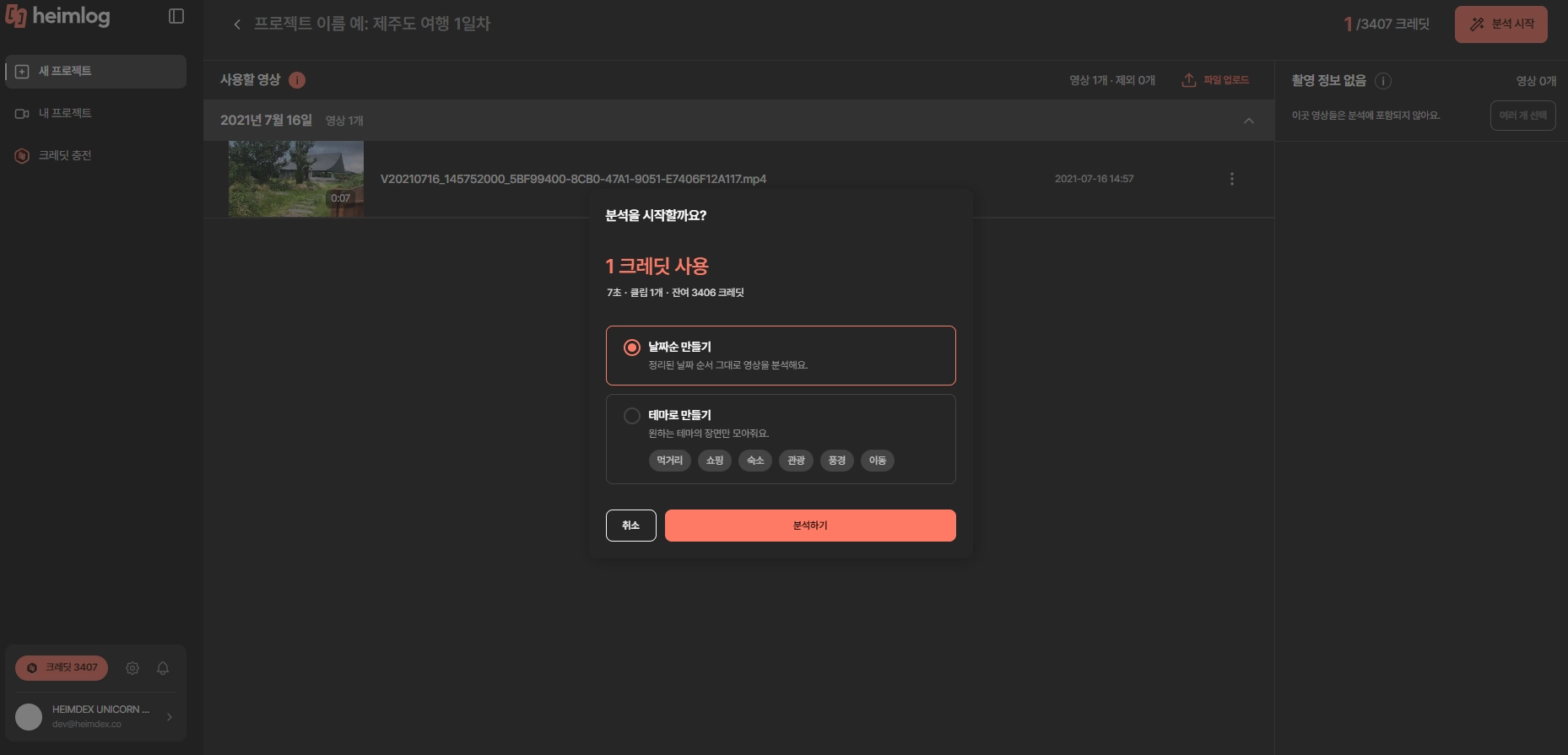
Step 2: Choose your editing style
Heimlog selects usable scenes based on the style you pick.
- Chronological: Edits footage in the order it was shot — the recommended default for most travel vlogs.
- Theme-based: Pulls out only the scenes matching a theme you choose (multiple themes can be selected).
The themes below are representative examples — Heimlog will also catch other scenes that fit the theme, even ones not listed here.
- Shopping: Browsing, picking things out, unboxing. Convenience store runs, trying on clothes, package unboxings, product show-and-tells.
- Accommodation: Time spent in your lodging. Check-in, room and view tours, breakfast, pool or lounge use, downtime in the room.
- Sightseeing: What you saw and experienced at your destination. Landmarks, observation decks, museums, exhibitions, festivals, performances, tours and activities.
- Scenery: Shots that speak for themselves. Ocean, mountains, sky, sunsets, city streets and nightscapes, views passing by outside the window.
- Transit: Getting from one place to another. Packing, airports and flights, trains, subways, taxis, rental cars, moments on the road.
- Food: Eating and drinking. Restaurants and cafes, close-ups of food, street food, drinks and late-night snacks, meals you cooked yourself.
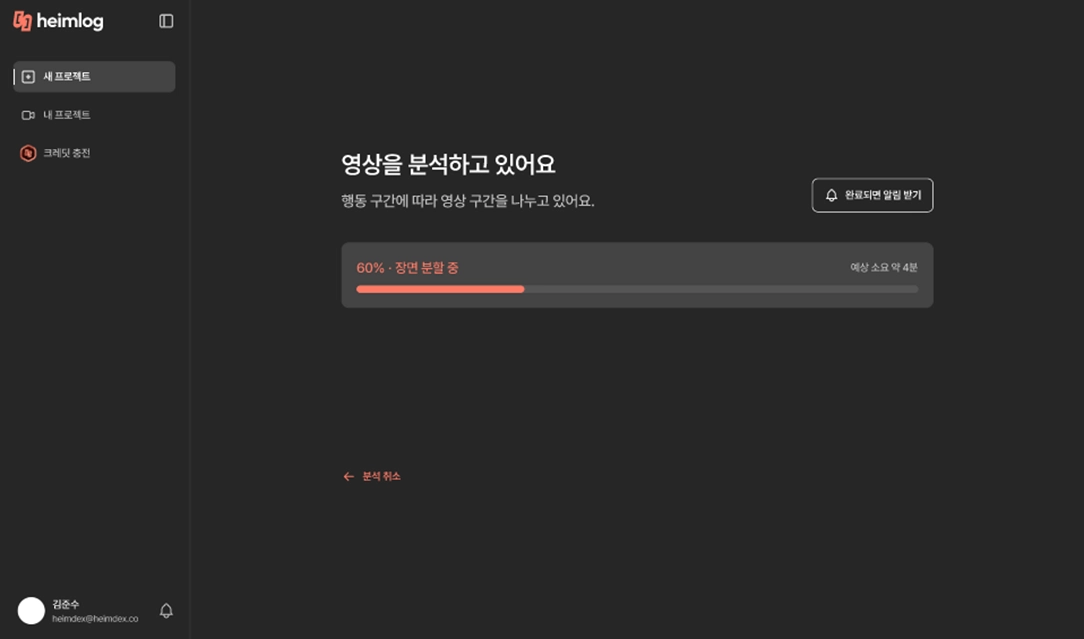
Step 3: Fine-tune the details
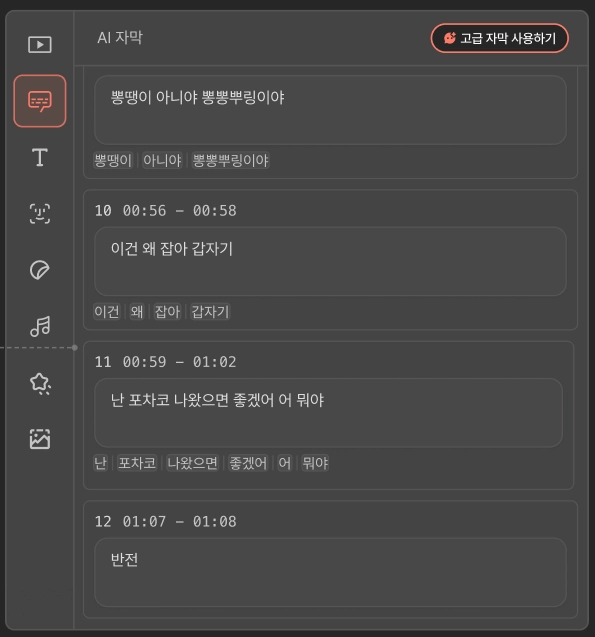
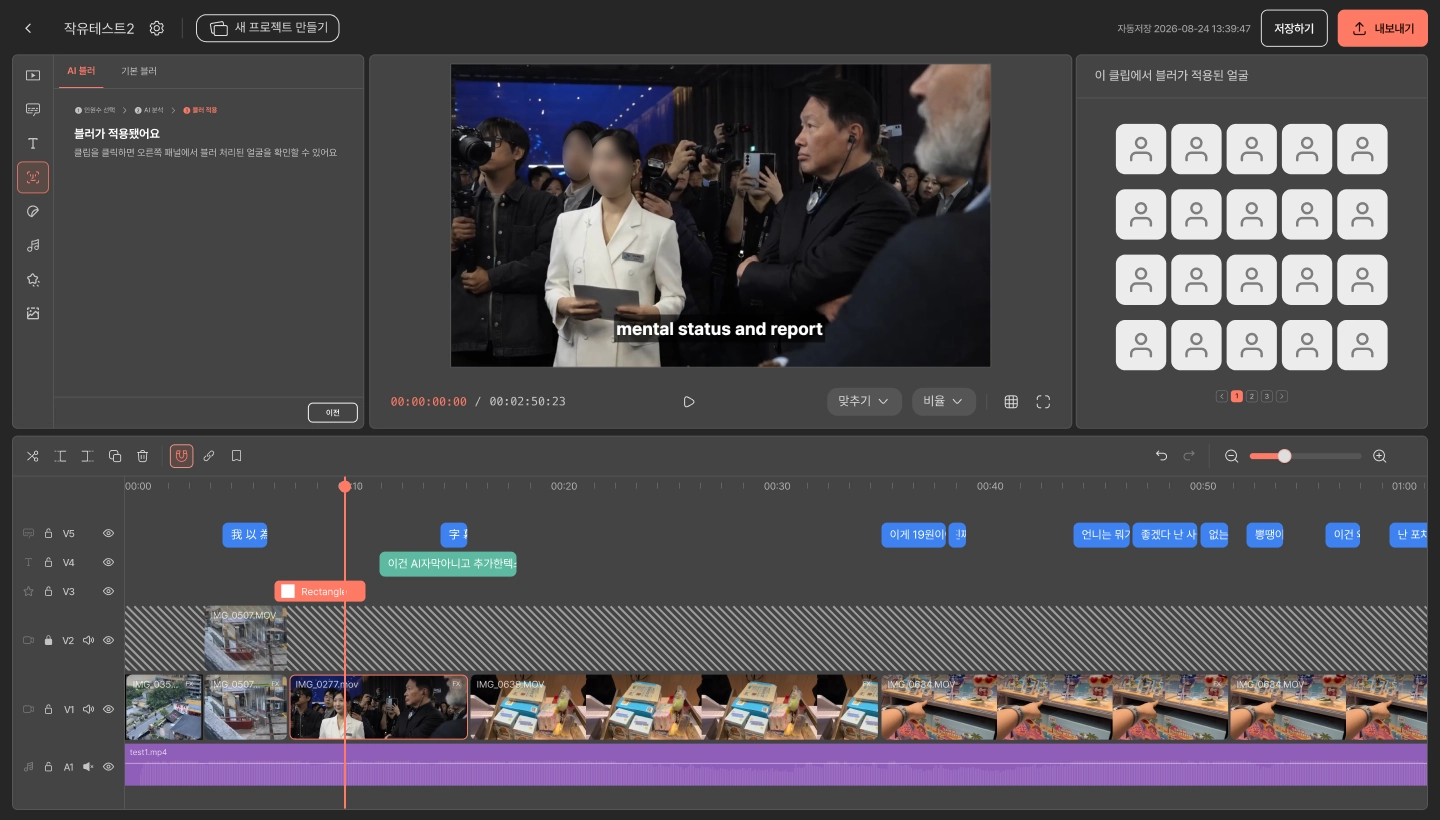
Add your own touch on top of the AI-generated rough cut. AI captions and AI blurring — two of the most tedious manual tasks — are now automated. BGM auto-matching is coming soon. During the beta period, AI captions and AI blur are free to use, so it's worth trying both.
Make a few final tweaks in the editor, and your vlog is done — a process that used to eat up an entire day, now noticeably faster.
🎁 Beta signup perks
Get early access to Heimlog before its full launch. It's especially worth trying if:
- You film more than you post. If you're a travel vlogger with a camera roll full of footage from trips you took months ago, this is built for you.
- You don't know how to structure your edit. If you've got footage but aren't sure how to organize it around a theme, the theme-based editing option handles that for you.
Pre-registration is now open. Signing up gets you 40 base credits plus 30 bonus credits — 70 total. That's enough to edit 70 minutes of raw footage, or up to two full vlogs, for free.
Try the Heimlog beta and finally finish that vlog. Feedback from beta users is welcome any time — anything you share will be credited back to your account once the service officially launches.